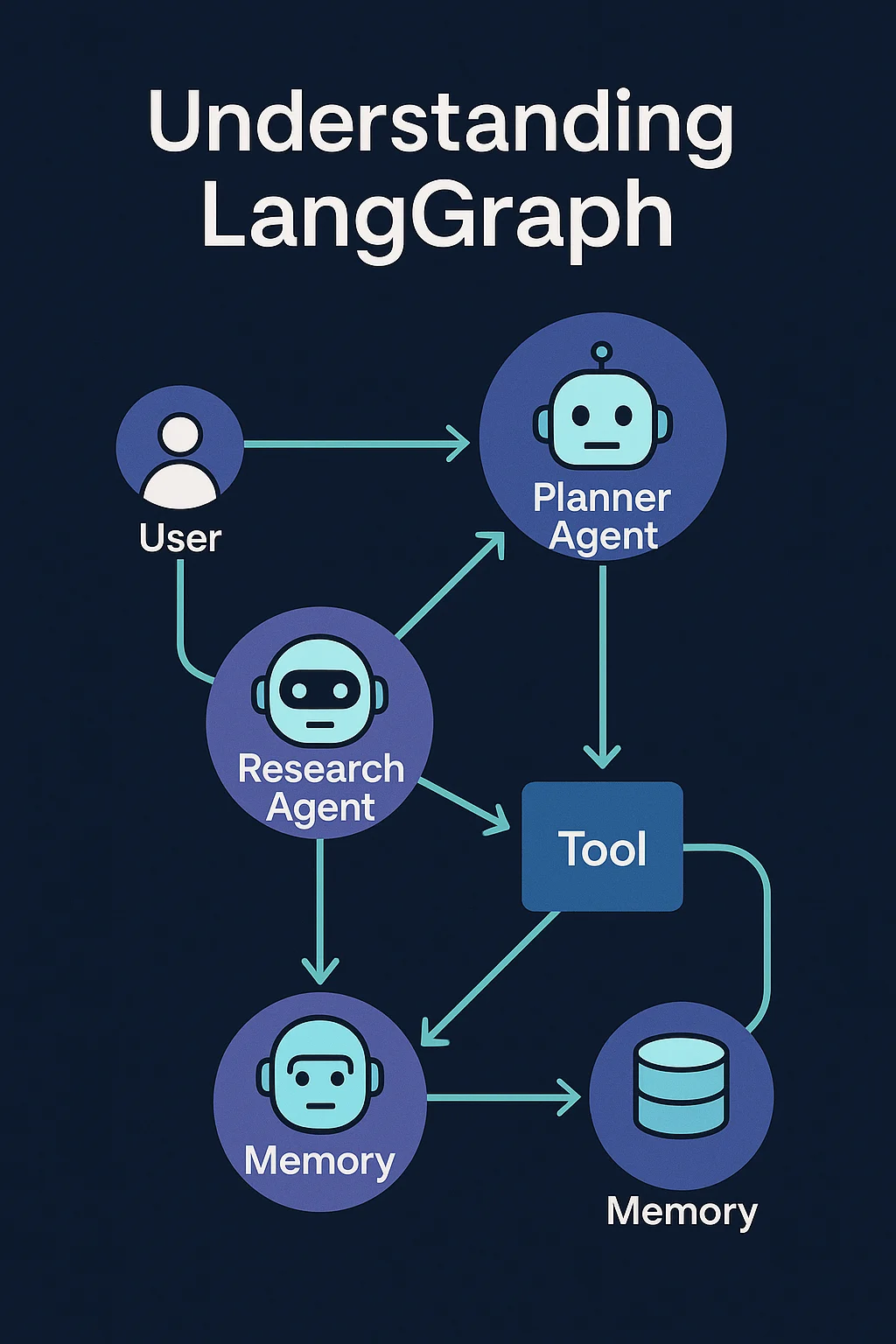
Large Language Models are great at single turns:
“Summarize this PDF.”
“Explain this error.”
“Draft an email.”
But real products rarely look like “one prompt, one answer.”
You need multiple agents, tools, and steps:
- A Research Agent that searches and reads
- A Planner Agent that breaks the problem into tasks
- A Writer Agent that assembles the final result
- A Reviewer Agent that checks quality and fixes mistakes
All of these need to talk to each other, share state, handle errors, and sometimes loop until a condition is met.
That’s exactly the problem LangGraph was created to solve.
1. What Is LangGraph?
At a high level:
LangGraph is a framework for building stateful, graph-shaped workflows around LLMs and agents.
Where LangChain’s classic “chain” model is mostly linear (step → step → step), LangGraph lets you define:
- Nodes – units of work (an agent, a tool, a function, a model call)
- Edges – how data flows from one node to another
- State – shared memory that lives across the whole graph run
- Control flow – loops, branches, retries, timeouts, etc.
You draw (in code) a graph of how your system should behave, then LangGraph becomes the engine that:
- Moves messages between nodes
- Persists and updates shared state
- Handles concurrency and backpressure
- Lets you resume, replay, and inspect runs
Plain English version:
If LangChain “chains” are like small functions, LangGraph is the runtime that connects many agents and tools into a robust, inspectable workflow.
2. Why Graphs? The Limits of Linear Pipelines
If you’ve built LLM apps with simple pipelines, you’ve probably seen patterns like:
- Take input
- Call model
- Post-process
- Return answer
Or maybe:
- Retrieve docs
- Call model
- If missing info, ask a follow-up
- Call model again
That’s fine for simple tasks, but multi-agent systems quickly outgrow this:
- Agents need to talk to each other, not just pass data in one direction
- You need loops: “keep asking the user questions until enough info is collected”
- You need branches: “if sentiment is negative, route to human; else continue”
- You need long-running workflows that pause and resume (e.g., waiting for user input or external events)
A single linear chain becomes:
- Hard to maintain
- Hard to debug
- Hard to extend
Graphs model what’s really happening:
- Multiple nodes (agents/tools)
- Messages moving between them
- Shared context that changes over time
- Cycles and branches that reflect real logic
Technical Insight: In computer science terms, LangGraph turns your workflow into a stateful directed graph. Nodes are computation units; edges represent message passing. The graph runner orchestrates which nodes should run next based on current state and events, not just a fixed list of steps.
For Knowing more about Agentic AI we are here BotCampusAi-Workshop
3. Core Concepts: Nodes, State & Transitions
To understand LangGraph, you only need a few key ideas.
3.1 Nodes
A node is a unit of work. It might be:
- A call to an LLM (e.g., “run the Writer Agent”)
- A tool (e.g., “search the web”, “query SQL”)
- A pure Python function (e.g., “merge results”, “validate JSON”)
Each node:
- Receives some state
- Does work
- Returns an updated state (and maybe signals which edge to follow next)
3.2 State
The state is a single object (often a dict-like structure) that holds:
- Conversation history
- Intermediate results
- Flags (e.g.,
done,needs_human_review) - Any custom fields your workflow needs
Instead of passing 10 different arguments between functions, you keep a shared state that every node can read and update.
3.3 Transitions (Edges)
An edge tells LangGraph:
“After node A finishes, which node(s) should run next, given the new state?”
Edges can be:
- Static – always go from A → B
- Conditional – go from A → B or A → C depending on some field in the state
- Looping – from a node back to itself or an earlier node until a condition is met
This is how you build:
- “Keep asking clarifying questions until
state.is_complete == True” - “If
state.errorexists, go toErrorHandlernode” - “If
state.needs_review, route to ReviewerAgent, else go to Finalize node”
Technical Insight: Under the hood, each node is a function from state_in -> state_out. LangGraph’s runner uses your edge definitions plus the returned state to decide which node to call next. Because state is persisted, you can inspect every step, replay runs, and resume from checkpoints.
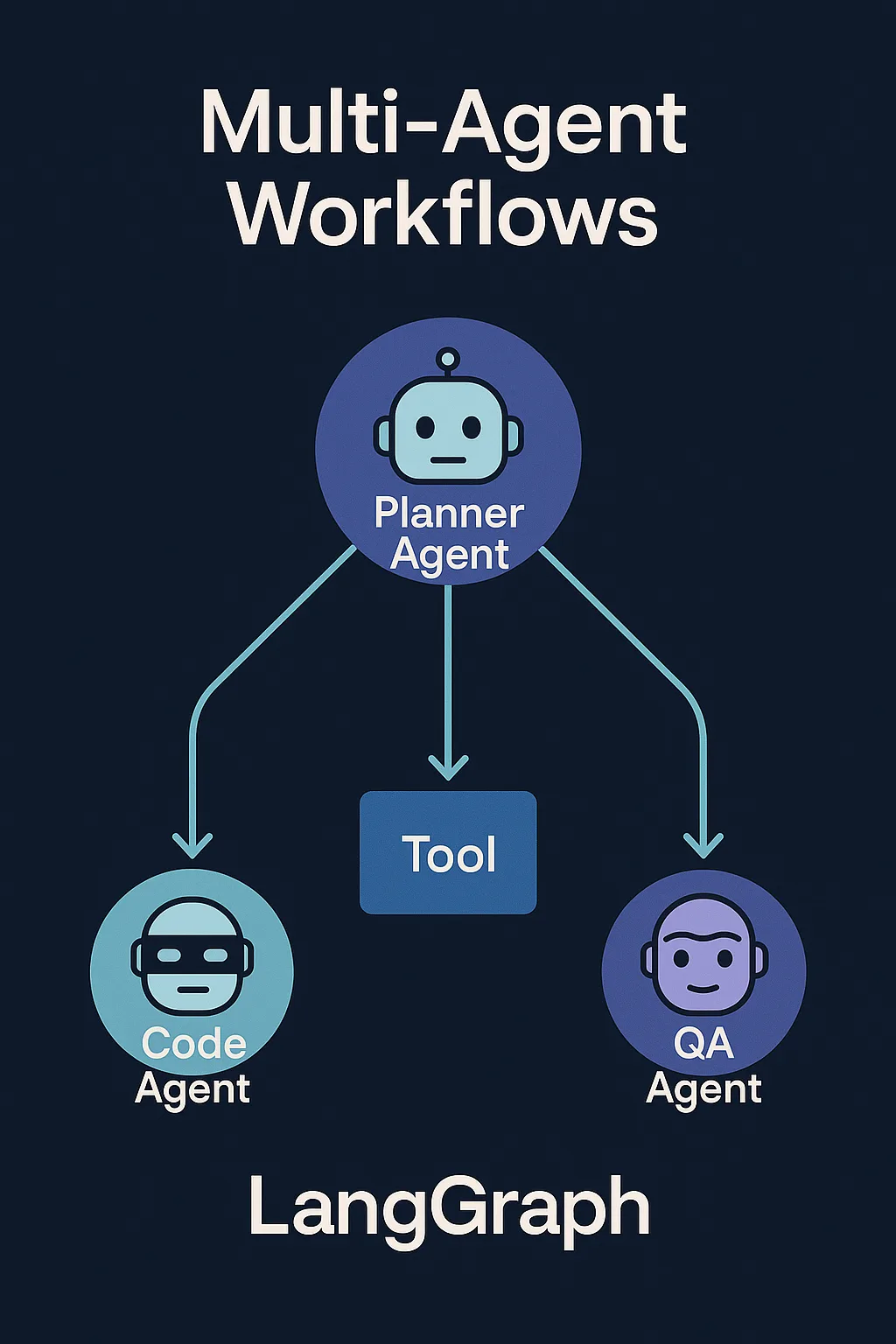
4. LangGraph + Agents: Multi-Agent as a Conversation Graph
Multi-agent systems are often described like:
- “Agents talk to each other until they agree.”
- “A planner agent delegates tasks to specialist agents.”
It’s easy to say, but harder to implement in a robust way.
LangGraph gives you a concrete way to model this:
- Each agent is a node (or a small subgraph)
- Messages between agents are just state updates
- The graph defines who can talk to whom, when, and under what conditions
Example structure:
UserNode– takes user input and writes it into stateRouterAgent– decides which specialist to call nextResearchAgent– searches web/DB and appends findingsWriterAgent– drafts output based onstate.researchandstate.requestReviewerAgent– checks for quality/safety, setsstate.approved = True/FalseFinalNode– returns result or asks user for clarification
All of this is one LangGraph, running as a single orchestrated workflow.
Technical Insight: This model avoids “agents randomly pinging each other” over sockets or queues. Instead, you have a deterministic orchestration layer: the graph plus its state. That makes debugging, testing, and observability much easier.
5. Why LangGraph Is Great for Multi-Agent Workflows
Here’s why people reach for LangGraph when they go beyond toy demos.
5.1 Stateful, Long-Running Conversations
Your workflow isn’t limited to one HTTP request/response. LangGraph can:
- Persist state between steps
- Pause waiting for user input or external events
- Resume exactly where it left off
Perfect for:
- Multi-step onboarding flows
- Agents that need to ask multiple clarifying questions
- Workflows that span hours or days
5.2 Built-In Support for Loops & Branches
Instead of hacking loops manually with while and nesting prompts, you can:
- Explicitly define cycles in the graph
- Use conditions on edges to stop or continue
- Limit max iterations to avoid infinite loops
This is key for agents that:
- Iterate on a draft until
quality >= threshold - Re-run a tool when it fails
- Keep refining a research plan until enough info is gathered
5.3 Observability and Debugging
Because every node call and state update is part of a graph run, you can:
- Inspect the full history of what happened
- See which node ran when, with what input and output
- Replay a run with different settings or models
- Add logging and metrics at the node/graph level
This is a huge upgrade from “I sent a prompt, something happened, and it kind of worked.”
5.4 Safety & Guardrails
Multi-agent systems can go off the rails if you’re not careful.
With LangGraph, you can:
- Centralize checks in specific nodes (e.g., SafetyReview, PolicyCheck)
- Ensure certain nodes run before high-impact actions (sending emails, making API calls)
- Enforce timeouts, max steps, and fallback paths
Technical Insight: Because LangGraph controls all transitions, you can implement “circuit breakers” at the graph level: e.g., abort the run if more than N tool calls happen, or if a safety node flags state.policy_violation = True.
6. Real-World Multi-Agent Patterns You Can Build with LangGraph
Let’s look at a few concrete patterns.
6.1 Research → Plan → Write → Review
Use case: long-form blog posts, reports, or market research.
Nodes:
UserInput– capture topic, tone, goalsResearchAgent– search web/DB, fillstate.research_notesPlannerAgent– outline sections, setstate.outlineWriterAgent– write drafts per sectionReviewerAgent– check consistency, tone, hallucinationsRefineLoop– if reviewer is unhappy, send back to Writer up to N timesFinalize– merge sections, return to user
Graph benefits:
- You clearly see where each agent fits
- You can limit how many refinement loops are allowed
- You can plug in human review after
ReviewerAgentif needed
6.2 Support Triage + Resolution + Escalation
Use case: AI-powered customer support with humans still in the loop.
Nodes:
IngestTicket– parse incoming email/chat into structuredstate.ticketClassifierAgent– classify intent, urgency, sentimentFAQResolver– attempt auto-answer from knowledge baseAccountLookupTool– fetch order/account detailsActionAgent– decide whether to refund, resend, or ask user somethingHumanEscalation– ifstate.confidence < 0.7orhigh_risk == True, route to humanCloseOrFollowUp– close ticket or schedule follow-up
Graph benefits:
- All paths (auto-resolve vs escalate) are explicit
- You can add new branches later (e.g., “VIP customers → special agent”)
- You can log exactly what each agent did before escalation
6.3 Data Pipeline with Human Checks
Use case: transforming messy user-submitted data into clean records.
Nodes:
Ingest– read raw data (CSV, forms, emails)ExtractorAgent– turn unstructured text into structured JSONValidatorNode– enforce schema, check required fieldsAutoFixAgent– try to fix minor issues (formatting, typos)HumanReview– show unresolved issues in a UIWriterNode– commit clean data into DB/warehouse
Graph benefits:
- You can see where data gets stuck (e.g., too many failures at ValidatorNode)
- You can implement metrics: % auto-fixed vs human-reviewed
- You can easily re-run only the failed branches after updating your logic
7. When Should You Use LangGraph vs Simpler Tools?
You don’t need LangGraph for everything.
It’s probably overkill if:
- Your app is a single LLM call + maybe retrieval
- Your flow is strictly linear with 2–3 steps
- There’s no need for loops, long-running state, or multiple agents
LangChain “chains” or even a plain script might be enough.
LangGraph shines when:
- You have multiple agents or tools that need coordination
- You need branching, loops, and complex control flow
- You care about reliability, observability, and replay
- Your workflows span many steps or long durations
- You want a clean mental model and code structure as things grow
Think of it this way:
If your system diagram looks like a graph on a whiteboard, not just a line, you’re in LangGraph territory.
8. How to Start Learning LangGraph (If You Already Know LangChain)
If you’ve already used LangChain or other LLM frameworks, here’s a simple learning path:
-
Wrap a single agent in a one-node graph
-
- Define a state (e.g.,
{"messages": []}) - Make one node that calls your LLM/agent and appends to
messages - Run it once and inspect the state
- Define a state (e.g.,
-
Add a second node and a conditional edge
-
- Example: Ask clarifying question until
state.is_completeis true - See how you model loops explicitly instead of while-loops
- Example: Ask clarifying question until
-
Turn a two-agent conversation into a graph
-
- Node A: “User-facing agent”
- Node B: “Tool/Research agent”
- Use state fields to decide who speaks next
- Introduce a tool node
- Add a node that talks to a real API (search, DB, CRM)
- Let your agent set flags in state to request that node
-
Add logging & inspection
-
- Log state transitions
- Build a tiny debug view or use built-in introspection tools
- Practice replaying a run with different prompts/models
Once you’re comfortable thinking in terms of nodes + state + edges, you’ll start to “see” multi-agent architectures as graphs automatically.
Conclusion
Multi-agent systems are powerful, but they can get messy fast if you don’t have a solid orchestration layer.
LangGraph gives you that layer:
- A clear, graph-based mental model
- Shared, persistent state across agents and tools
- Built-in support for loops, branches, and long-running workflows
- Stronger observability, safety, and testability than ad-hoc scripts
As AI products move from single prompts to complex, collaborative agent teams, understanding tools like LangGraph will become a key skill for serious builders.
If you’re already experimenting with agents and feel your code turning into spaghetti, that’s your signal:
it’s time to start thinking in graphs.
And as always, keep an eye on BotCampusAI
for more practical breakdowns of agent frameworks, real workflows, and step-by-step guides you can plug directly into your own projects.